


Divinci Local Inference — run AI in your browser, on your own GPU
on your machine
Gemma 4, Qwen2.5, Llama 3.2, SmolLM2 and Liquid — on your machine.


Divinci Local Inference runs open-weight language models directly in Chrome, on your own GPU. Your conversations never leave your device — and once a model is loaded, it works with the network switched off.
See it run with the internet off
Nothing below is a mock-up. This is the extension answering from a model held in the browser's own memory — the second question is asked after the network has been disconnected.
Why run a model locally
- Your chats stay on your device. There is no server in the loop to send them to. Local conversations are not transmitted, logged, or trained on.
- No per-token cost. Inference runs on hardware you already own, so there is no API bill that scales with how much you use it.
- It works offline. Once a model is cached, it keeps answering on a plane, on hotel wifi, or with the network off entirely.
- Loads once, stays warm. The model is held in a single offscreen document per browser profile and shared across every tab — no reload when you change pages.
Pick a model that fits your machine
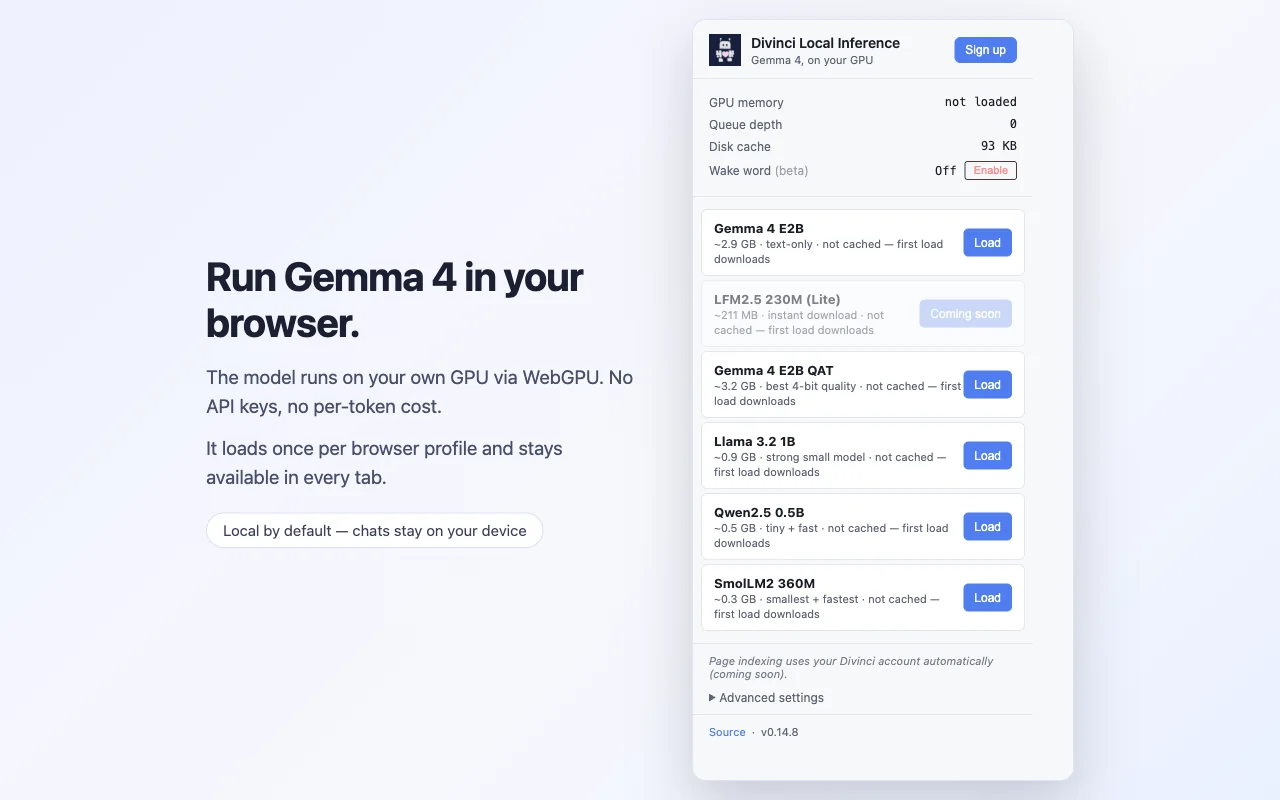
Larger models write better; smaller ones start in seconds. The download happens once and is then cached.
| Model | Download | Good for |
|---|---|---|
| Gemma 4 E2B | ~2.9 GB | The default. Best general quality. |
| Gemma 4 E2B QAT | ~3.2 GB | Best 4-bit quality, if you have the memory. |
| Llama 3.2 1B | ~0.9 GB | A capable middle ground. |
| Qwen2.5 0.5B | ~0.5 GB | Fast, light, surprisingly good. |
| SmolLM2 360M | ~0.3 GB | Smallest and quickest to try. |
Use it anywhere, or inside Divinci
Open the side panel on any page for an on-device assistant. Or pick the local model in Divinci AI's chat and have your own hardware answer instead of a cloud API — same interface, same conversation history, no API cost.
Private by default
Signed out, the extension sends nothing about your browsing anywhere. Signing in to a Divinci account is optional and adds two things you can turn off individually: page-aware answers, and chat saved to your account.
Even then, the content of the pages you visit is never transmitted — only a trimmed address and a one-way hash, and only while the panel is open. Banking, webmail, healthcare and sign-in pages are skipped entirely.
Read the full privacy policy for exactly what each feature sends.
What you need
- Chrome 113+, or another Chromium browser with WebGPU support
- A GPU supporting shader-f16
- Disk and memory to match the model you choose — from ~0.3 GB up to ~3.2 GB
- A one-time download the first time you load a model
Apache-2.0 licensed, and the source is public at github.com/Divinci-AI/gemma-gem. Forked from kessler/gemma-gem, with attribution preserved.